 English
 Hindi
Hindi

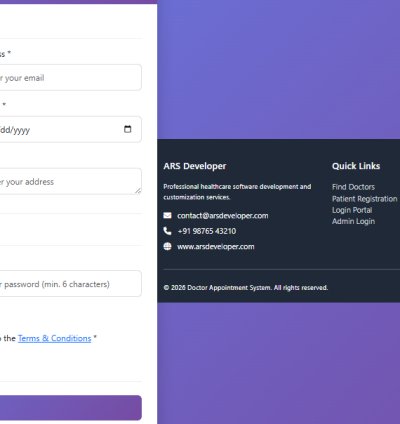
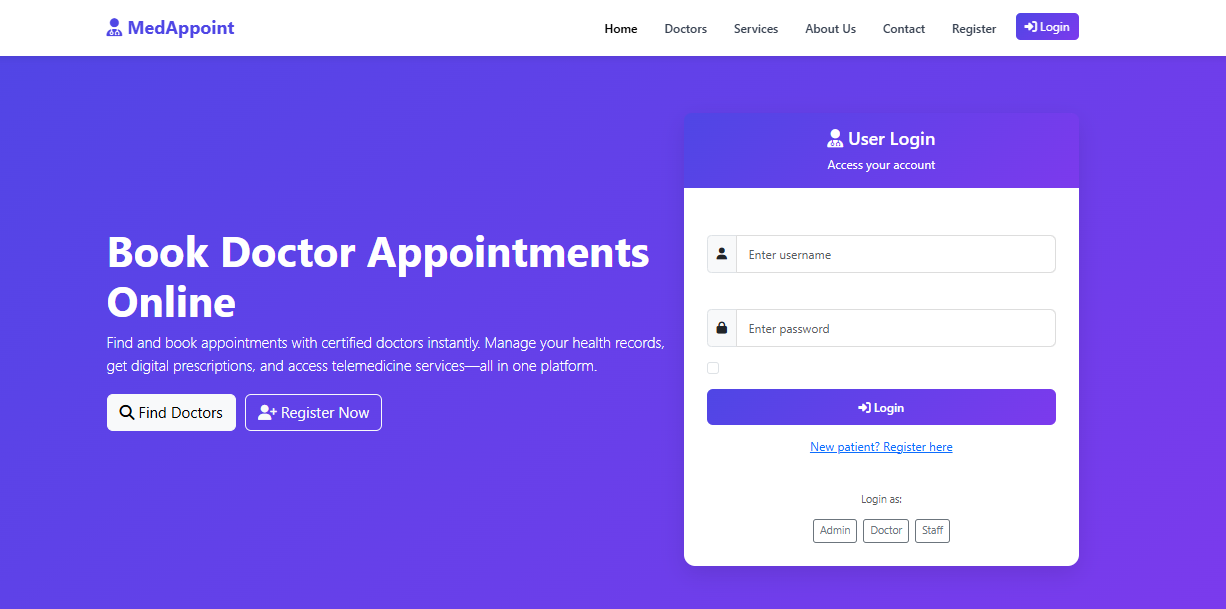
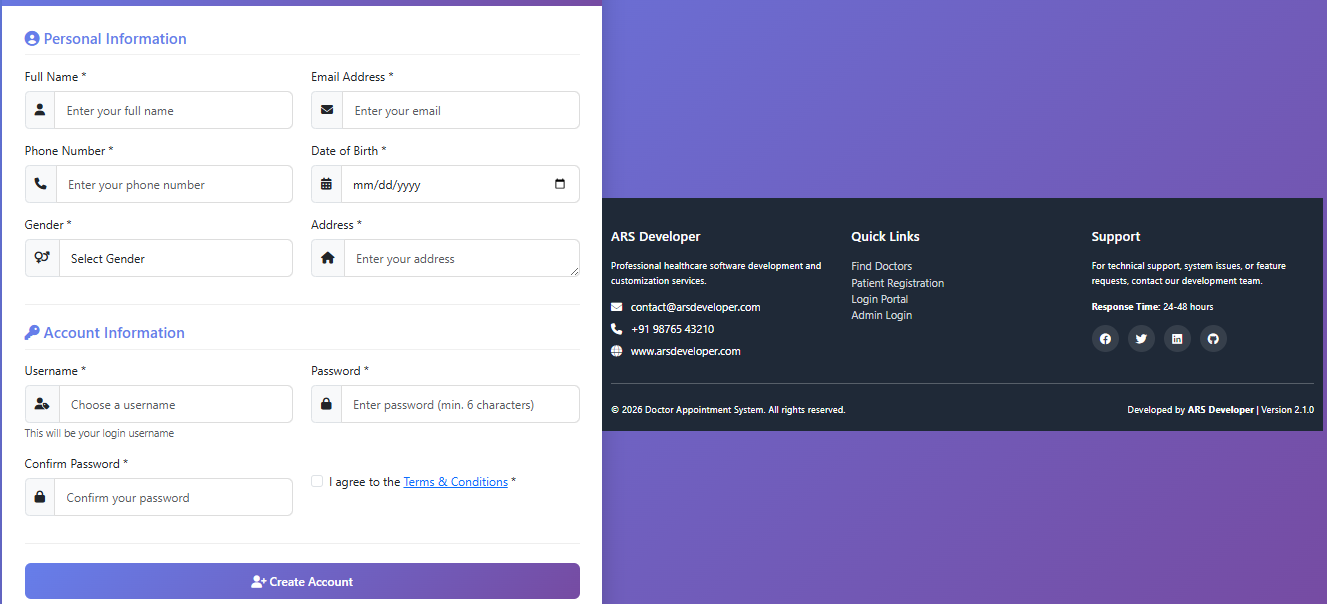
# Doctor Appointment Booking System
A complete multi-role doctor appointment booking system built with Core PHP, MySQL, and Bootstrap 5.
## Features
### 🛠️ Multi-Role System
- **Admin Panel**: Full control over the system
- **Doctor Panel**: Manage appointments and follow-ups
- **Patient Panel**: Self-registration and appointment booking
- **Staff Panel**: Limited access based on permissions
### 📊 Admin Panel Features
- Secure Admin Login
- Doctor Specializations Management (Add/Edit/Delete)
- Doctors Management (Add/Edit/Delete)
- Staff Management with role-based permissions
- Patients Management
- Appointments Management (View/Edit Date, Time, Status)
- Financial Tracking (Payment Pending/Due/Refund)
- Booking Management (Today Booking, Booking Done, Upcoming, Cancelled)
- Follow-up Tracking (Today & Upcoming)
- Scheme-Based Tracking (Ayushman, IPD, CM Fund)
### 👨⚕️ Doctor Panel Features
- Secure Doctor Login (ID created by Admin)
- Dashboard with assigned appointments
- Manage Appointments (Change Date, Time, Update Status)
- Follow-up Management
### 👩⚕️ Patient Panel Features
- Patient Self Registration
- Secure Login
- Book Appointment with available doctors
- View Appointment History
- Upcoming & Completed Appointments
### 👨💼 Staff Panel Features
- Staff Login (Created by Admin)
- Limited Access based on permissions:
- Booking management
- Follow-ups handling
- Payments tracking
### 📊 Special Tracking Modules
- General Dashboard Data
- Scheme-Based Tracking for:
- Ayushman
- IPD
- CM Fund
- Each category tracks: Lead, Today Booking, Upcoming Booking, This Month Completed, Pending, Not Entered, Follow-up, Follow-up Pending
### 🌐 Public Pages (Without Login)
- Doctors Page (Doctor List)
- Services Page
- About Us Page
- Contact Us Page
### 🔒 Security Features
- Session-based Login System
- Password Hashing using `password_hash()` and `password_verify()`
- Role-based Access Control
- PDO Prepared Statements to prevent SQL injection
## Project Structure
```
DPB/
├── index.php # Main login page
├── logout.php # Logout handler
├── test.php # System test page
├── README.md # This file
├── DAPB.sql # Database schema with sample data (consolidated)
├── includes/
│ ├── config.php # Database and site configuration
│ ├── database.php # PDO database connection class
│ ├── functions.php # Common utility functions
│ └── auth.php # Authentication functions
├── admin/
│ ├── header.php # Admin panel header
│ ├── dashboard.php # Admin dashboard
│ ├── doctors.php # Doctors management
│ ├── tracking.php # General tracking modules
│ └── scheme_tracking.php # Scheme-based tracking
├── doctor/
│ ├── header.php # Doctor panel header
│ └── dashboard.php # Doctor dashboard
├── patient/
│ ├── header.php # Patient panel header
│ ├── dashboard.php # Patient dashboard
│ └── book_appointment.php # Appointment booking
├── staff/
│ ├── header.php # Staff panel header
│ └── dashboard.php # Staff dashboard
├── public/
│ ├── header.php # Public site header
│ └── doctors.php # Public doctors listing
├── assets/
│ ├── css/
│ │ └── style.css # Custom CSS styles
│ ├── js/
│ │ └── script.js # Custom JavaScript
│ └── images/ # Image assets
└── uploads/ # File uploads directory
```
## Installation Guide
### Prerequisites
- PHP 7.4 or higher
- MySQL 5.7 or higher
- Web server (Apache, Nginx, or PHP built-in server)
- phpMyAdmin (optional, for database management)
### Step 1: Database Setup
1. Create a MySQL database named `doc_app_db`
2. Import the SQL file:
```sql
mysql -u username -p doc_app_db < DAPB.sql
```
Or use phpMyAdmin to import the file.
### Step 2: Configuration
1. Open `includes/config.php`
2. Update database credentials if needed:
```php
define('DB_HOST', 'localhost');
define('DB_USER', 'root');
define('DB_PASS', '');
define('DB_NAME', 'doc_app_db');
```
3. Update site URL if necessary:
```php
define('SITE_URL', 'http://localhost/DPB/');
```
### Step 3: File Permissions
Ensure the following directories are writable:
- `uploads/` - For file uploads
- `assets/images/` - For profile pictures
### Step 4: Run the Application
1. Start your web server
2. Navigate to the project directory
3. Access the application via browser:
```
http://localhost/DPB/
```
## Default Login Credentials
After importing the database, use these credentials:
### Admin
- **Username**: admin
- **Password**: admin123
- **Role**: Administrator with full access
### Doctor
- **Username**: drsmith
- **Password**: doctor123
- **Role**: Doctor
### Patient
- **Username**: john.doe
- **Password**: patient123
- **Role**: Patient
### Staff
- **Username**: staff1
- **Password**: staff123
- **Role**: Staff
## Database Schema
### Key Tables
1. **users** - User accounts for all roles
2. **specializations** - Doctor specializations
3. **doctors** - Doctor profiles linked to users
4. **patients** - Patient profiles linked to users
5. **staff** - Staff profiles linked to users
6. **appointments** - Appointment bookings
7. **payments** - Payment records
8. **follow_ups** - Follow-up appointments
9. **scheme_tracking** - Scheme-based tracking data
### Relationships
- Each doctor, patient, and staff member has a corresponding user account
- Appointments link patients to doctors
- Payments are associated with appointments
- Follow-ups are linked to appointments
- Scheme tracking is separate for statistical purposes
## Features in Detail
### Appointment Booking System
- Patients can book appointments with available doctors
- Time slot validation to prevent double booking
- Scheme selection (General, Ayushman, IPD, CM Fund)
- Automatic payment calculation based on doctor's consultation fee
### Responsive Design
- Built with Bootstrap 5 for mobile-first responsive design
- Custom CSS for consistent styling across all panels
- JavaScript for interactive elements and form validation
### Security Implementation
- Password hashing using PHP's `password_hash()`
- Session management with role-based access control
- PDO prepared statements to prevent SQL injection
- Input sanitization and validation
### Tracking Modules
- **General Tracking**: Today's bookings, upcoming appointments, payment status
- **Scheme Tracking**: Separate tracking for government healthcare schemes
- **Follow-up Tracking**: Manage patient follow-up appointments
## Customization
### Adding New Pages
1. Create the PHP file in the appropriate directory (admin/, doctor/, etc.)
2. Include the corresponding header.php file
3. Add navigation link to the sidebar menu in header.php
### Changing Colors and Styles
1. Modify CSS variables in `assets/css/style.css`
2. Update color schemes in panel-specific header files
3. Customize Bootstrap theme by overriding CSS classes
### Adding New Features
1. Extend the database schema in `DAPB.sql`
2. Update relevant PHP files to handle new functionality
3. Add appropriate validation and security measures
## Troubleshooting
### Common Issues
1. **Database Connection Error**
- Check database credentials in `includes/config.php`
- Ensure MySQL service is running
- Verify database name matches
2. **Session Issues**
- Check PHP session configuration
- Ensure `session_start()` is called before any output
- Verify directory permissions for session storage
3. **Page Not Found Errors**
- Check web server configuration
- Verify .htaccess rules (if using Apache)
- Ensure file paths are correct
4. **Permission Denied Errors**
- Check file and directory permissions
- Ensure uploads directory is writable
- Verify PHP has necessary permissions
### Testing the System
Use the built-in test page:
```
http://localhost/DPB/test.php
```
This page checks:
- PHP version compatibility
- Database connection
- Required PHP extensions
- File permissions
- Session functionality
## Browser Compatibility
- Chrome 60+
- Firefox 55+
- Safari 12+
- Edge 79+
- Opera 50+
## Technologies Used
- **Backend**: Core PHP 7.4+
- **Database**: MySQL 5.7+
- **Frontend**: HTML5, CSS3, JavaScript
- **UI Framework**: Bootstrap 5.3
- **Icons**: Font Awesome 6.4
- **Data Tables**: DataTables 1.13
- **Security**: PHP password_hash, PDO prepared statements
## License
This project is open-source and available for educational and commercial use.
## Support
For issues or questions:
1. Check the troubleshooting section above
2. Review the code comments for implementation details
3. Test with the provided test.php page
## Future Enhancements
- Email notifications for appointments
- SMS integration for reminders
- Online payment gateway integration
- Prescription management system
- Medical records management
- Analytics and reporting dashboard
- Mobile app interface
---
**Note**: This is a complete working system. For production deployment, ensure to:
1. Change default passwords
2. Configure proper SSL/TLS certificates
3. Set appropriate file permissions
4. Implement additional security measures
5. Regular database backups
6. Monitor server logs for suspicious activity
No reviews found!




No comments found for this product. Be the first to comment!